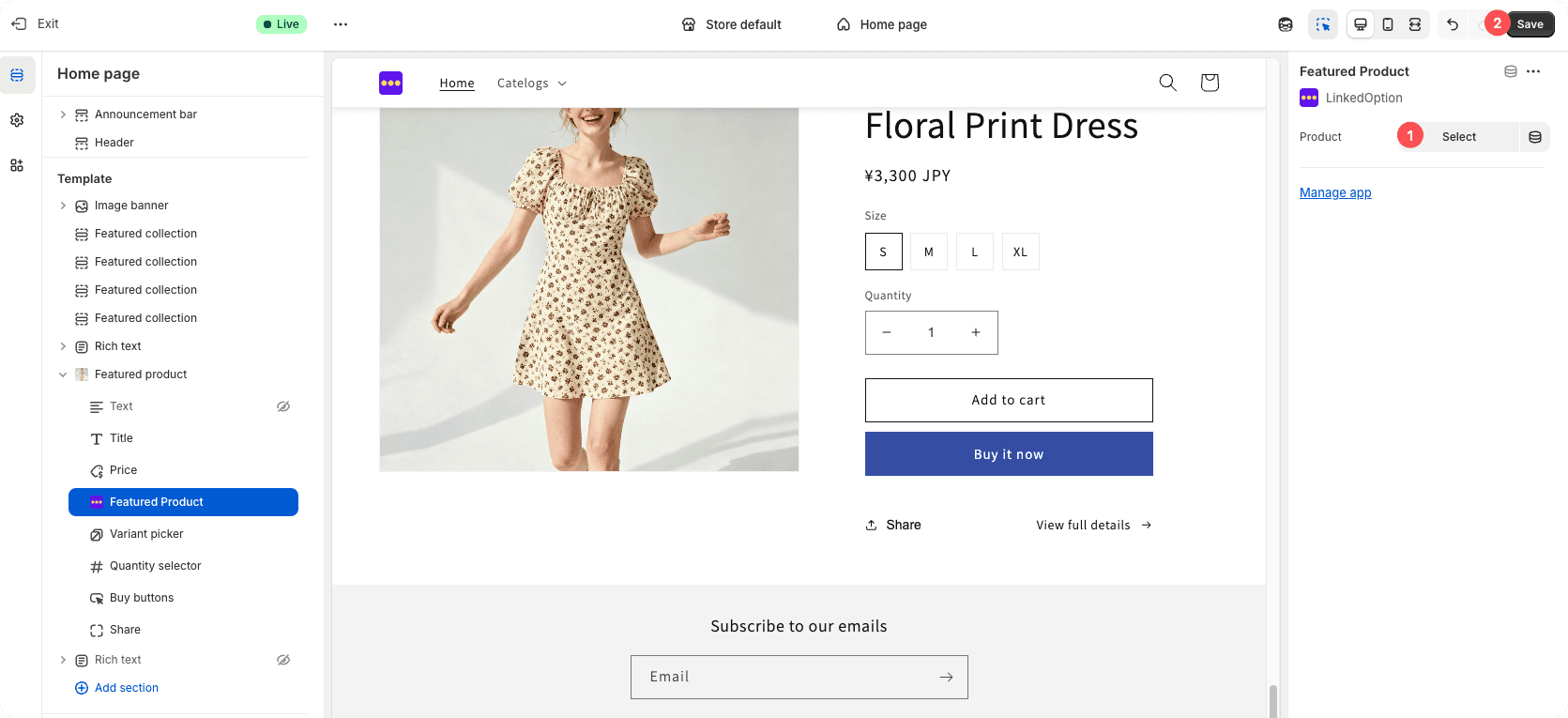
The ability to display product options within the Featured Product section is available only for Advanced plans and above.
Steps to Enable Product Options in the Featured Product Section
Follow the steps below to display product options for a featured product:
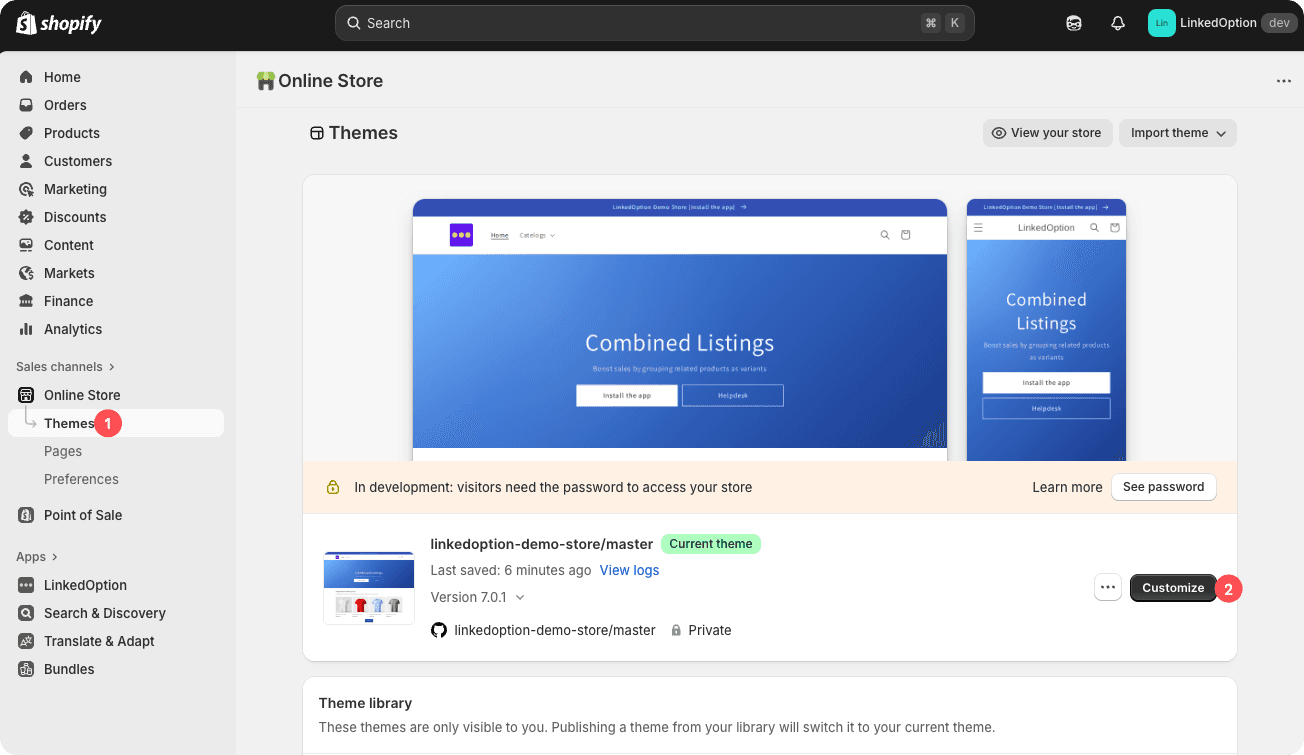
1. Open the Theme Editor
Navigate to your theme and open the Theme Editor.
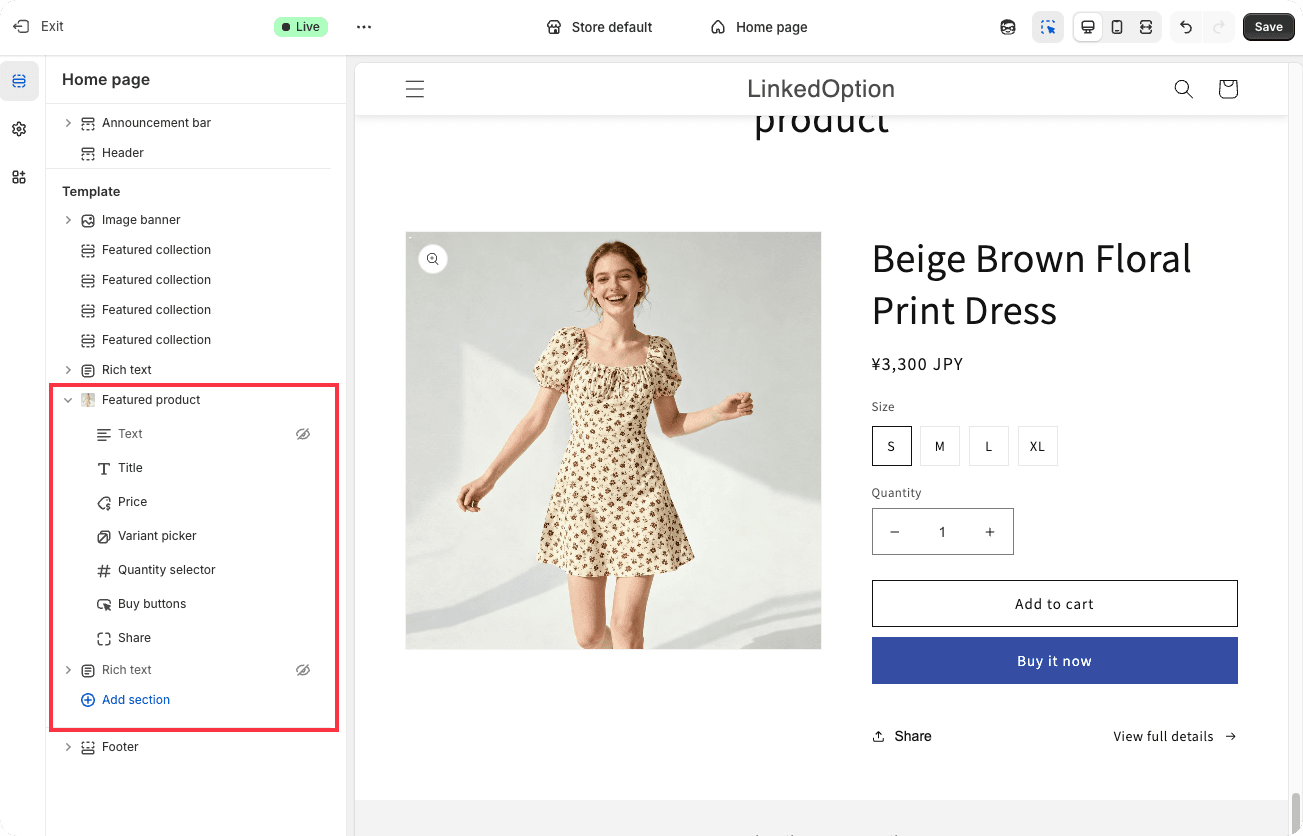
2. Select the Featured Product Section
In the editor, locate and select the Featured Product section on the page.
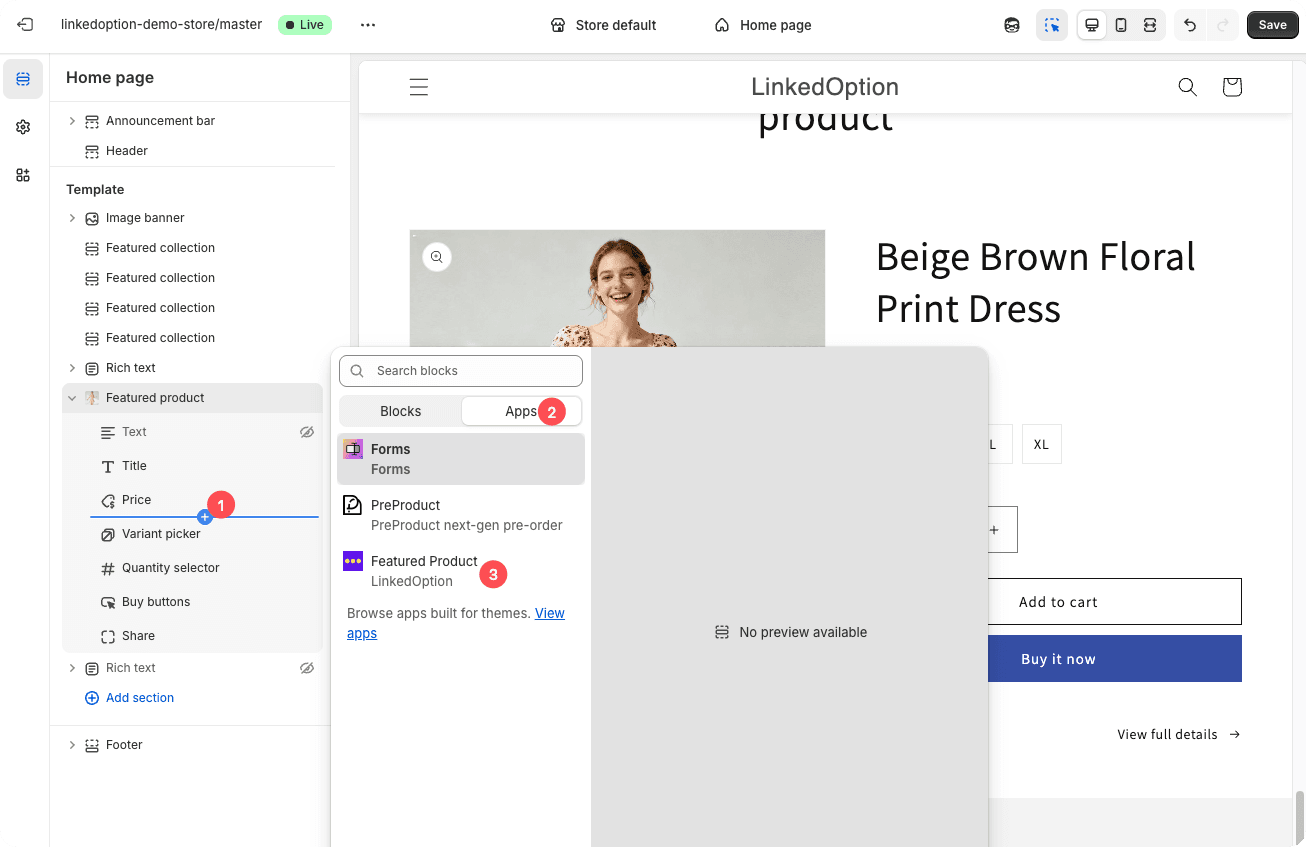
3. Add the Featured Product App Block
In the left-hand panel, click Add block, then choose Featured Product (app block).
This will insert the app block into your Featured Product section.
4. Configure the Featured Product App Block
Select the newly added Featured Product app block.
In the right-hand settings panel:
- Choose the product you want to feature
- Make sure the correct product options are enabled
- Click Save to apply your changes