
A Product Group lets you link several related product listings together.
Instead of showing all products separately, you can display them as options (like colors, sizes, or styles) within one shared section.
When a customer clicks an option, they are redirected to the corresponding product page for that variant.
This makes it easier for customers to explore related products and find what they want—without manually browsing your entire store.
Types of Product Groups
There are three types of Product Groups:
- Single Option Product Group
- Multi-Option Product Group
- Subcategory Product Group
Each one offers a different way to organize and display related product listings.
Single Option Product Group
A Single Option Product Group links products based on one attribute, such as color or size.
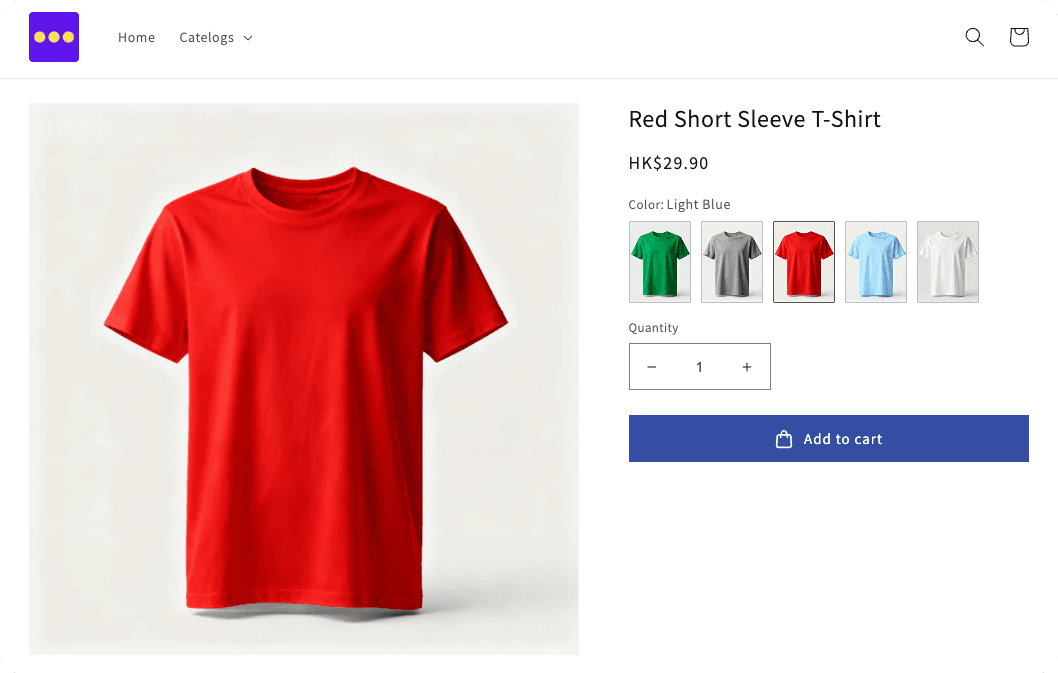
Example:
You have a T-shirt available in red, blue, and green.
Each color is a separate product, but on the product page, you can show color swatches (or buttons) that link directly to the matching listing.
When a customer clicks “Blue,” they go straight to the blue T-shirt product page.
This setup is ideal when your products differ by just one key option.
View Demo (password: abcde)
Multi-Option Product Group
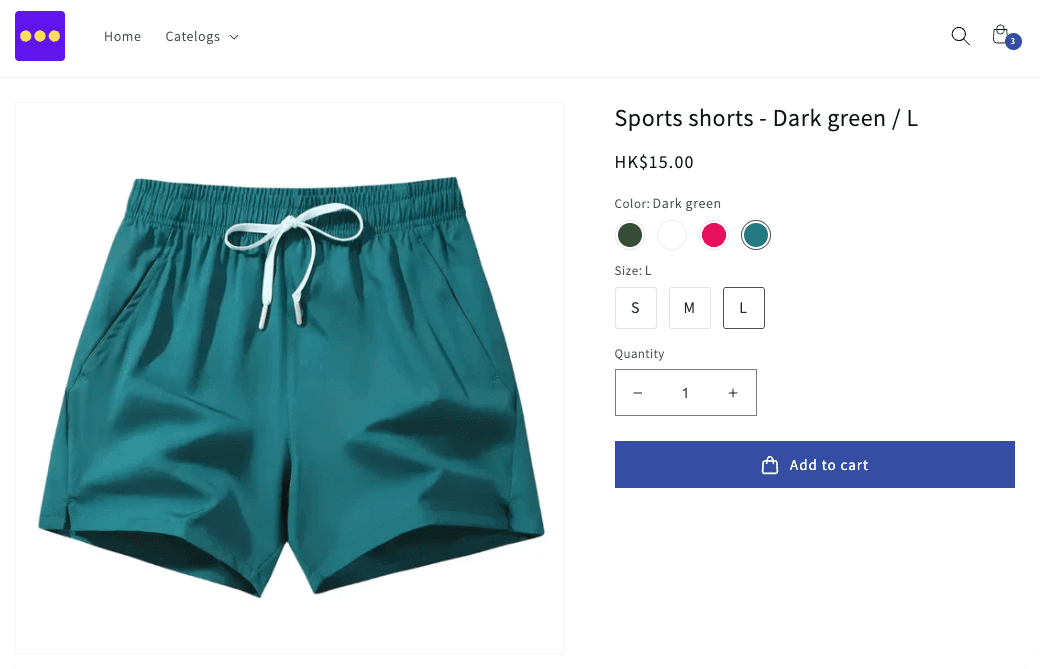
A Multi-Option Product Group supports two or more attributes—for example, both color and size.
Each unique combination (like Red–Medium or Blue–Large) is still its own product,
but customers can view and select these combinations directly within the same product group area.
When they click a combination, they’re taken to that specific product’s listing.
This is useful for stores where customers need to choose from multiple options.
View Demo (password: abcde)
Subcategory Product Group
A Subcategory Product Group lets you organize options into separate subcategory, rather than mixing all options together.

Example:
For a jacket collection, you could have:
- Light Colors: Light Blue, Light Green, Light Yellow
- Dark Colors: Dark Blue, Dark Green, Dark Red
Each subgroup displays its own set of linked product options, making it easier for customers to browse related styles while keeping the layout simple.
View Demo (password: abcde)
Conclusion
Product Groups let you visually connect separate product listings through clickable options that link to each variant’s page.
They help organize your catalog, simplify navigation, and create a smoother shopping experience.
- Single Option: one attribute (e.g. color)
- Multi-Option: multiple attributes (e.g. color + size)
- Subgroup: multiple sets of related options
By using Product Groups, you can keep your store layout clean while helping customers quickly find and compare related products.