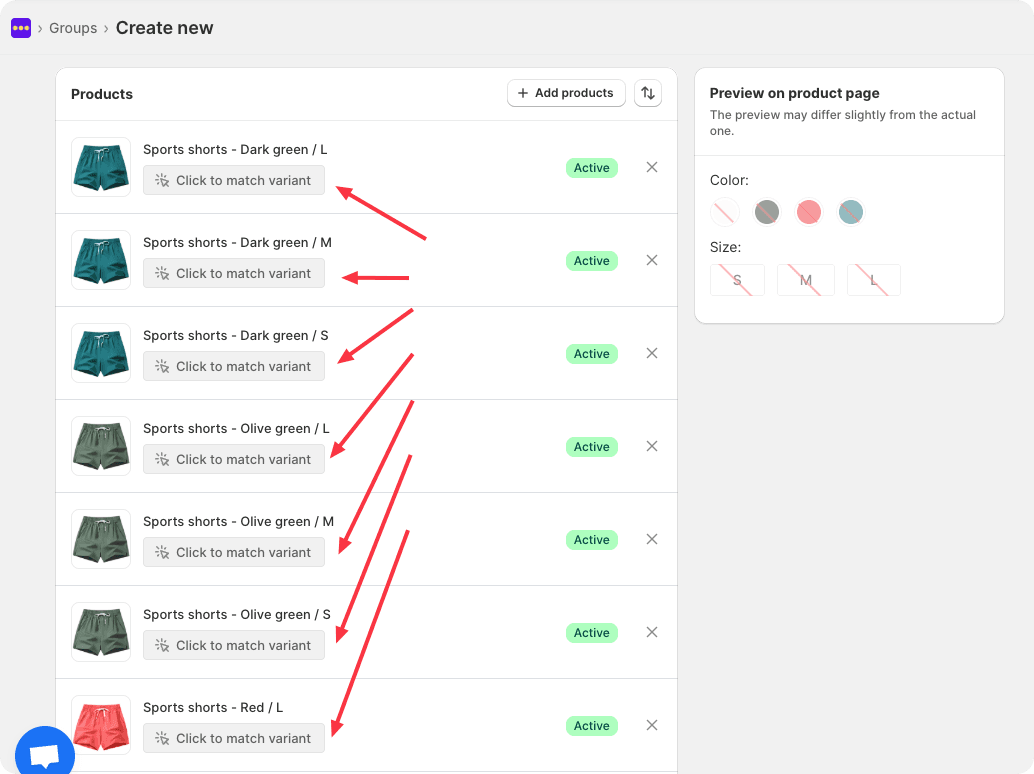
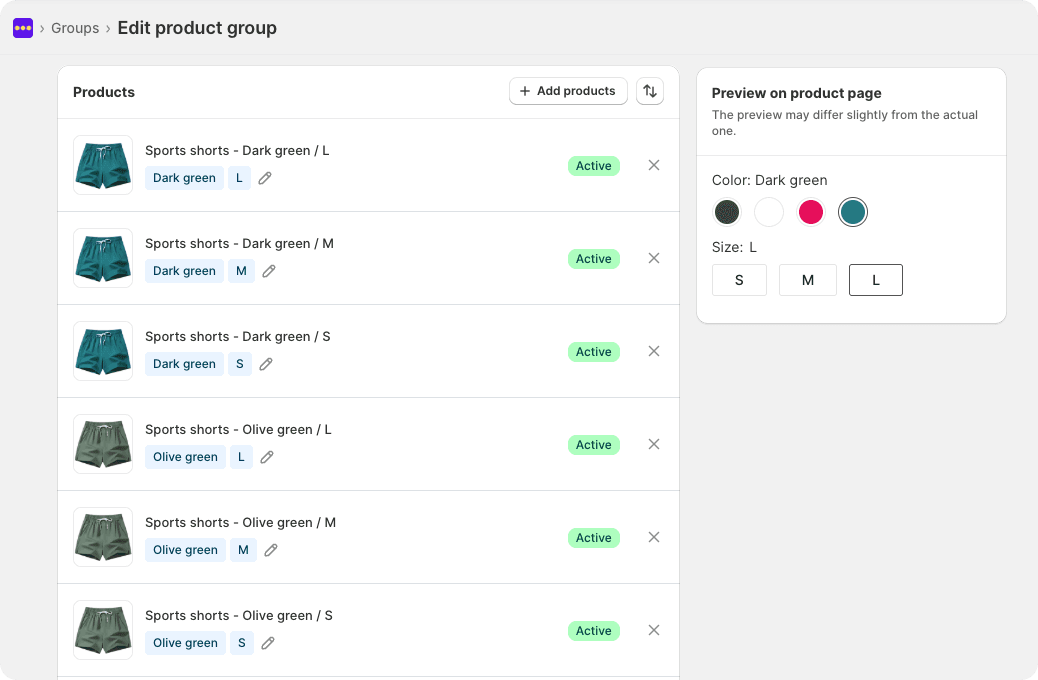
With support for multiple options, you can create combinations of multiple options for your product group, such as combinations of size, color, and style. Each combination corresponds to a individual product, allowing customers to select and purchase the exact variant they want, whether it's a specific size, color, or style option.
You can see the effect in our demo store:
Demo store (password: abcde): https://linked-options.myshopify.com/products/sports-shorts-red-s
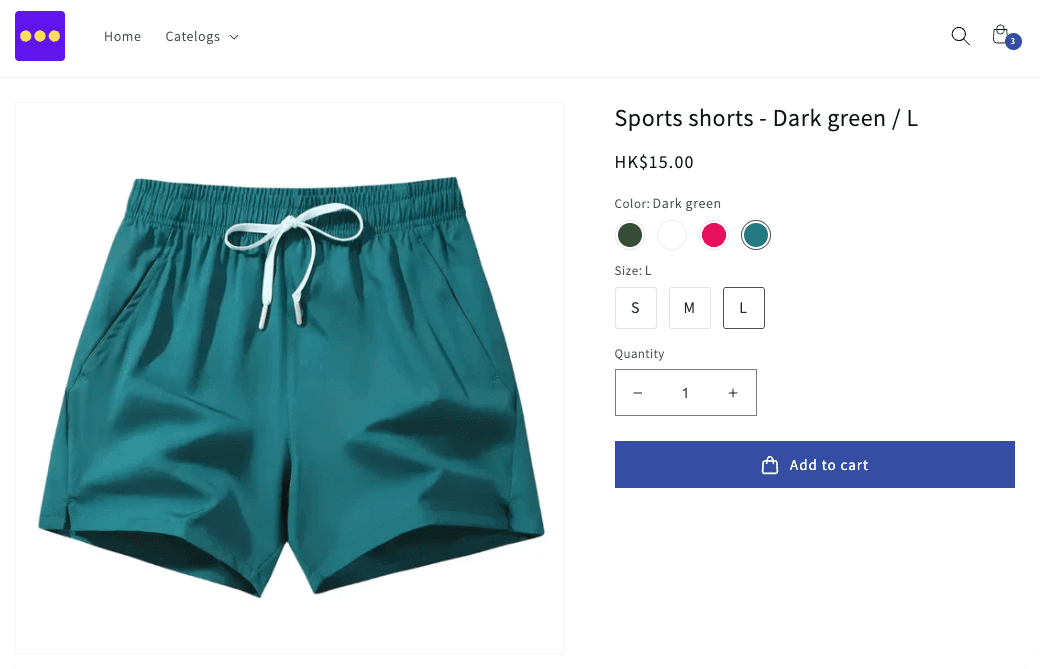
To create a multi-option product group, please follow these guidelines:
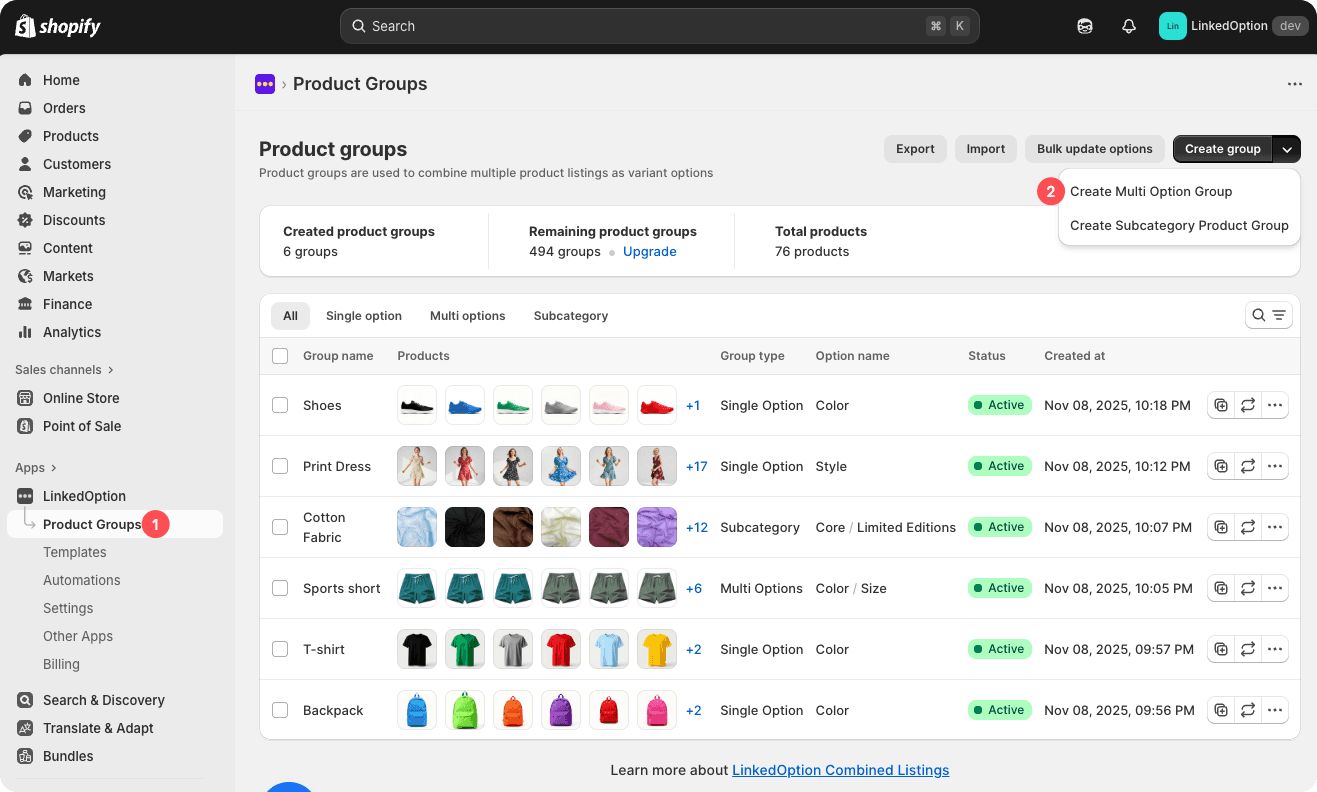
Step 1: Navigate to “Product group” page: Apps > LinkedOption Combined Listings > Product group
Step 2: Click “Create multi options group” button
Step 3: Fill in the information about the option
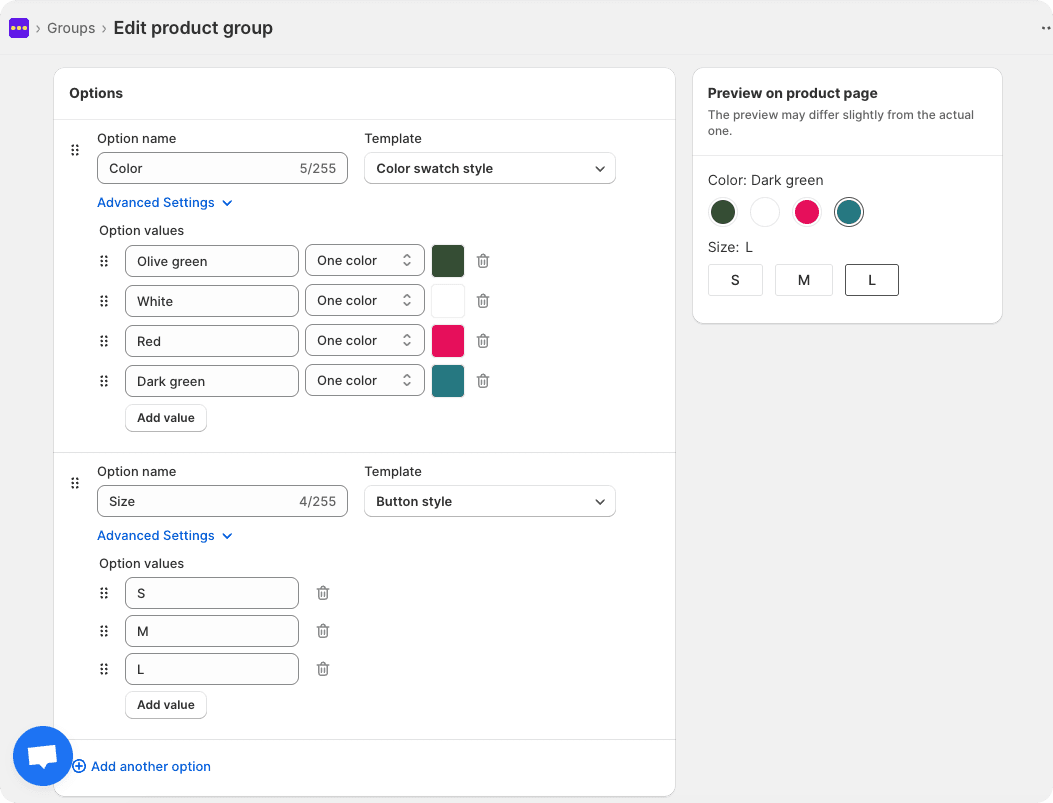
Step 4: Add products to product group
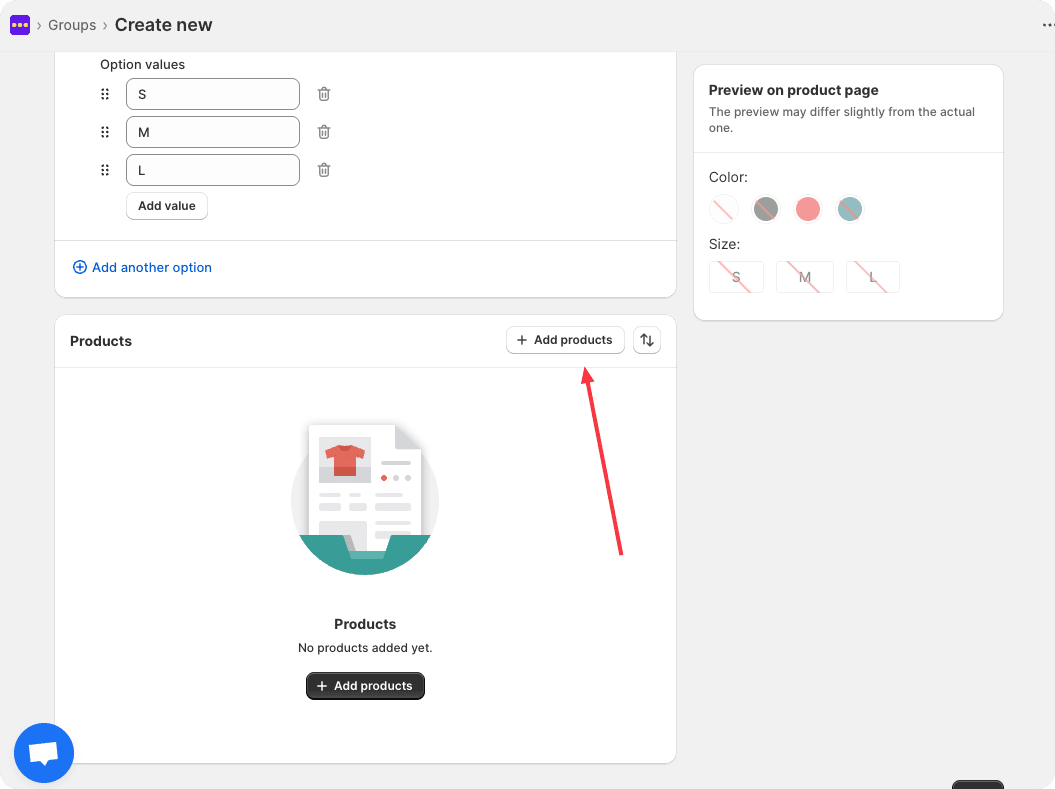
Step 5: Match option combinations for each product