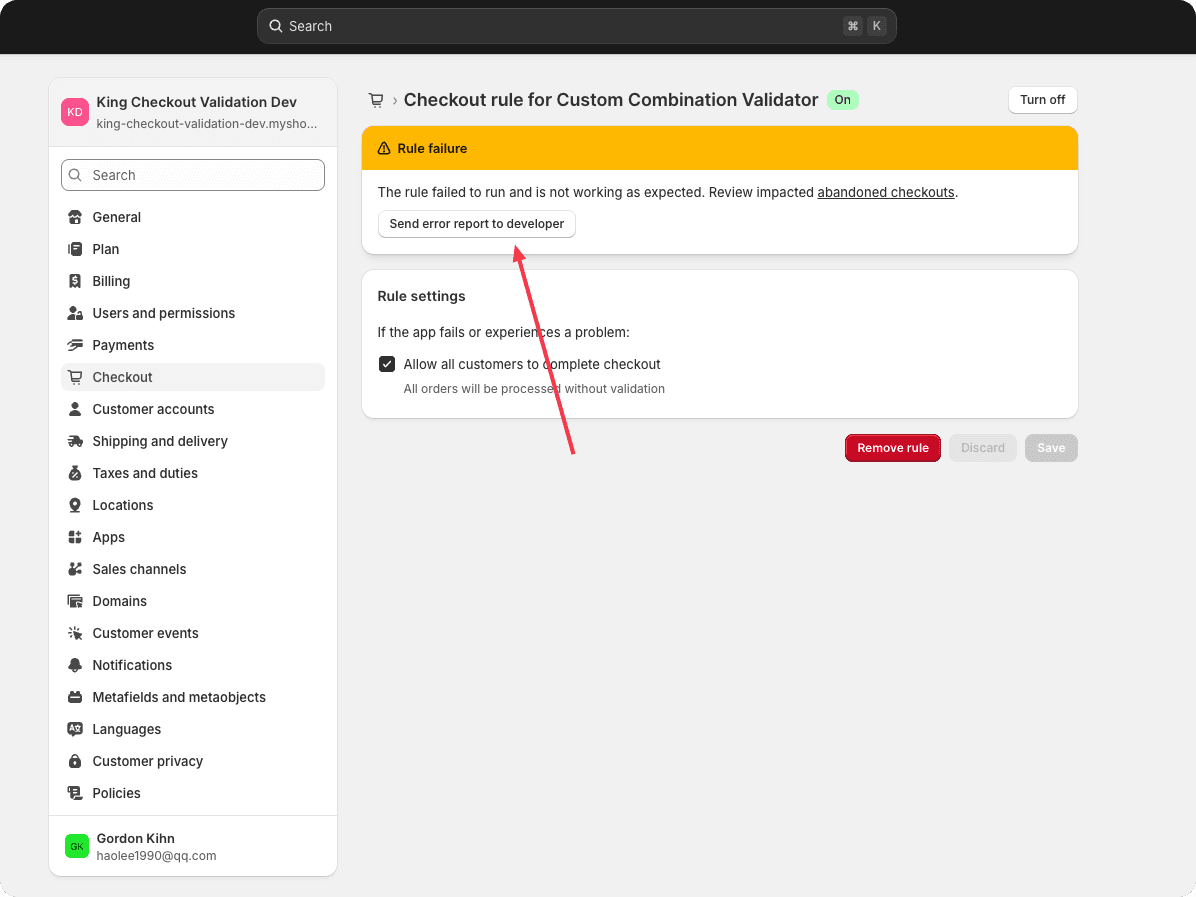
To help app developers quickly identify and resolve issues, you can share error logs directly from the app settings. Please follow the steps below to share an error report.
Steps
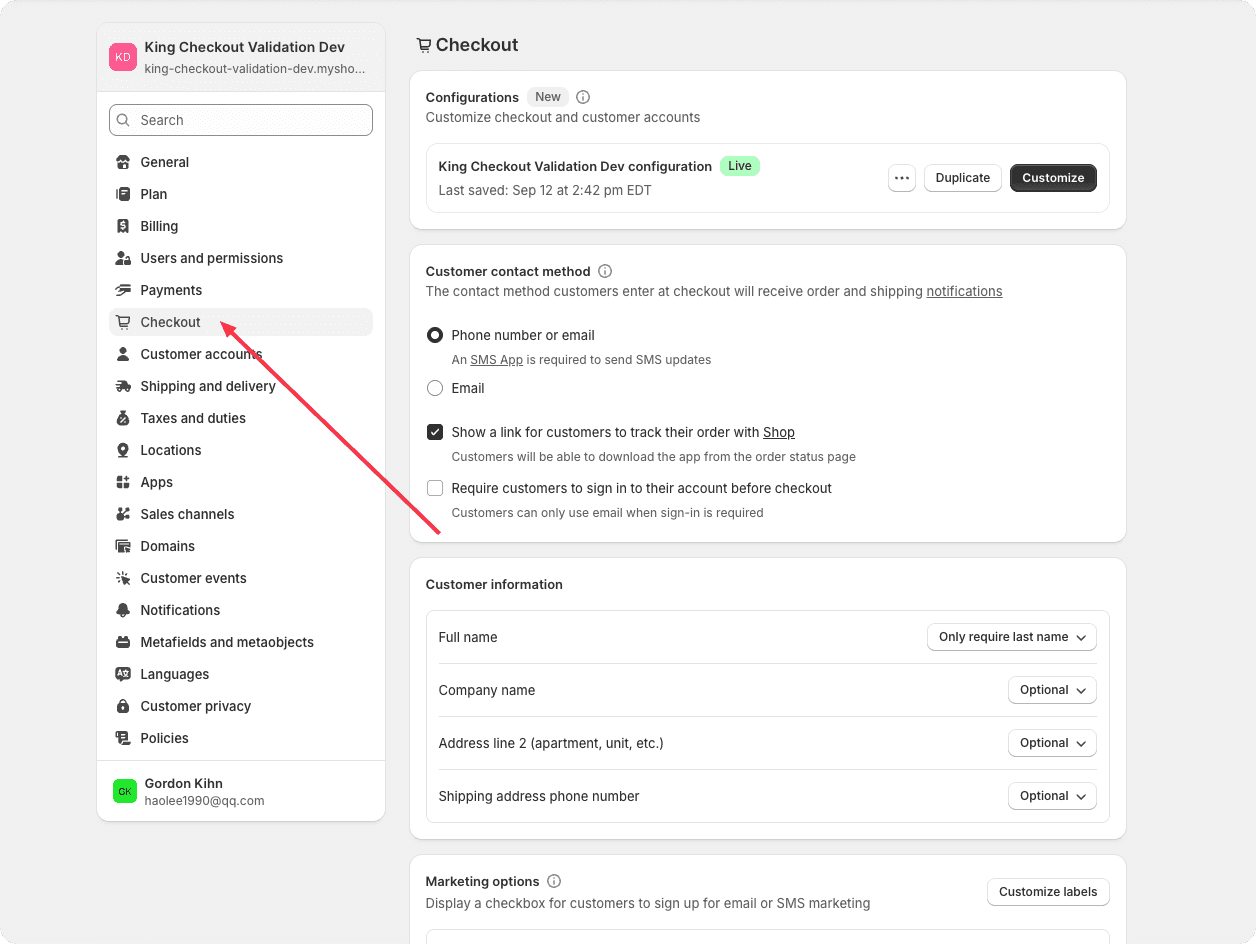
Step 1: Open Settings and navigate to Checkout.
Scroll to the bottom of the page, locate Checkout rules, and find the rule that you created.
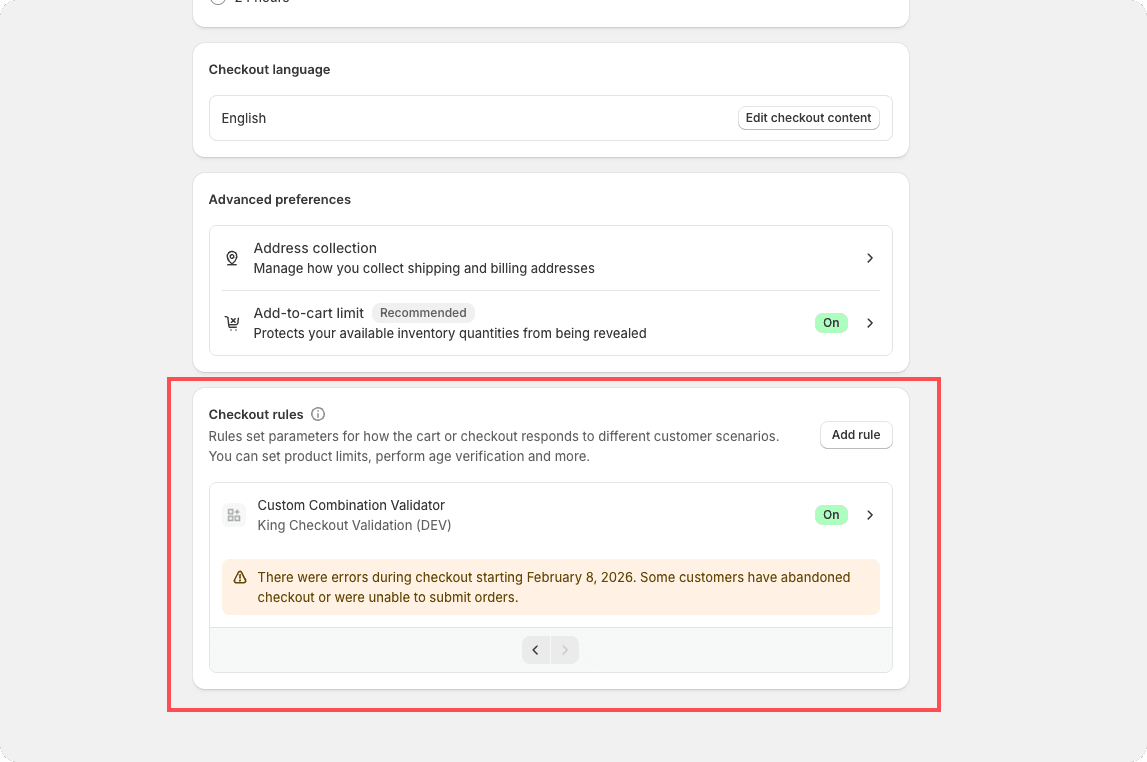
Step 2: Click on the rule.
You will see a “Rule failure” banner. Click the “Share error report to developer” button to send the error log to the app developer.